SKIMOVIE -
WITH TIMING
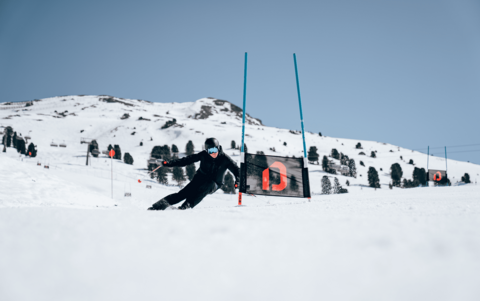
Fun on the slopes with Hochfügen SkiMovie
On the SkiMovie course on piste 3, every turn becomes a highlight. A camera records the run through the gates and measures the time. After registration, the personal video with timing is available to download free of charge at any time - a memento of an unforgettable experience on the slopes.
Starting point: Piste 3
How it
how it works
To retrieve the media, you need the number of the ski pass or mountain railway ticket that was used to take the photo or video.
Procedure in the app:
Tap the pink plus symbol in the bottom center of the screen
Select the area in which the photo or video was taken
Enter the ski pass or ticket number - manually or using the NFC function
Select the appropriate number type
Select the date of the recording
Read through the terms and conditions and confirm via "Add"
After successful registration, the media will be available in the "Feed" menu item.
Please note: It may take a few minutes for the content to be displayed.
Please note:
Photos taken at a Photopoint are available for 30 days. After this period, the media will be deleted automatically.
To retrieve photos from Photopoint, videos from Skimovie and images from Speedcheck, you need the number of the ski pass with which the photo or video was taken.
Procedure:
Go to https://www.skiline.cc/ticket/hochfuegen and create a user account
(select the "Create account" option)Enter the ski pass or ticket number in the input mask provided
After successful registration, the media will be available in the "Videos & Photos" section
Please note: It may take a few minutes for the media to be available in the system.
Please note
Photos taken at a Photopoint can be accessed for 30 days. After this period, the content is automatically deleted.